Where did I put the…
Unforgettable Things remembers for you. Photograph a room, pin where things are, and open close-ups as deep as you need: the wardrobe, the top shelf, the box.
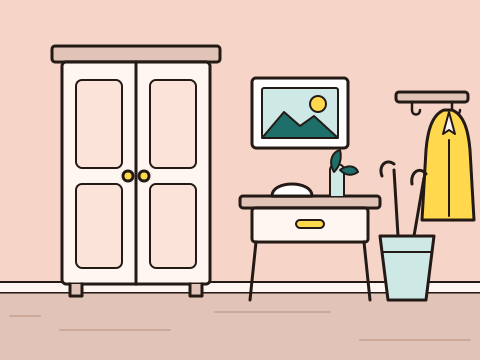
Opens a close-up A thing you put away
How it works
Lists of boxes and labels go stale. A photo of the actual shelf doesn't, because it shows the place the way you'll see it when you go looking.
-
Photograph a room
Hold your phone sideways to fit the whole room in. The garage, the cellar, the hallway: wherever things end up.
-
Pin where things are
Tap the photo to drop a pin. A pin can be a thing, or open a close-up photo of the cupboard, the shelf, the box, as many levels deep as you like.
-
Find it months later
Search for it by name, or open the room and follow the pins back to it.
For the things you need once a year
Documents, seasonal gear, the spare key, the special screwdriver. The things that are easy to put away and hard to find again.
- Expiry dates and reminders
- Add one to any pin. Upcoming dates collect on the Due soon list, and your phone notifies you at 9:00 on the day.
- Search
- Type a few letters to find any room, photo or pin, then follow the pins to where it is.
- Recently deleted and Undo
- Deleted rooms, photos and pins are kept for 2 days, or as long as you choose, and Undo appears right after you delete.
- Backups you keep
- Export a .zip with every room, pin, date and photo, and send it to Files, Drive or email. Import it on a new phone and everything is back.
- English and Italian
- The app follows your phone's language, or you can pick one in Settings.
Your things stay on your phone
No account, no server, no ads. Nothing you add leaves your phone unless you export it yourself. Read the privacy policy
-
No tracking of any kindThe app has no analytics, no ad networks and no crash reporting. There's nobody to sign up with.
-
Photos are saved without their locationWhen you add a photo, the app removes its GPS position and camera details. The picture itself is untouched.
-
Not copied to Google's cloud backupYour rooms and photos stay out of the cloud. Use Export backup for a copy you control.
-
Error logs stay with youIf something goes wrong, the app keeps a short log on your phone. It only reaches the developer if you copy it and send it yourself.